Guide · Claude (MCP)

The Priority API address

One address from Priority, and the three connection values inside it: the server address, the settings file and the company name.

6 steps2 minPriority system managerUpdated

1

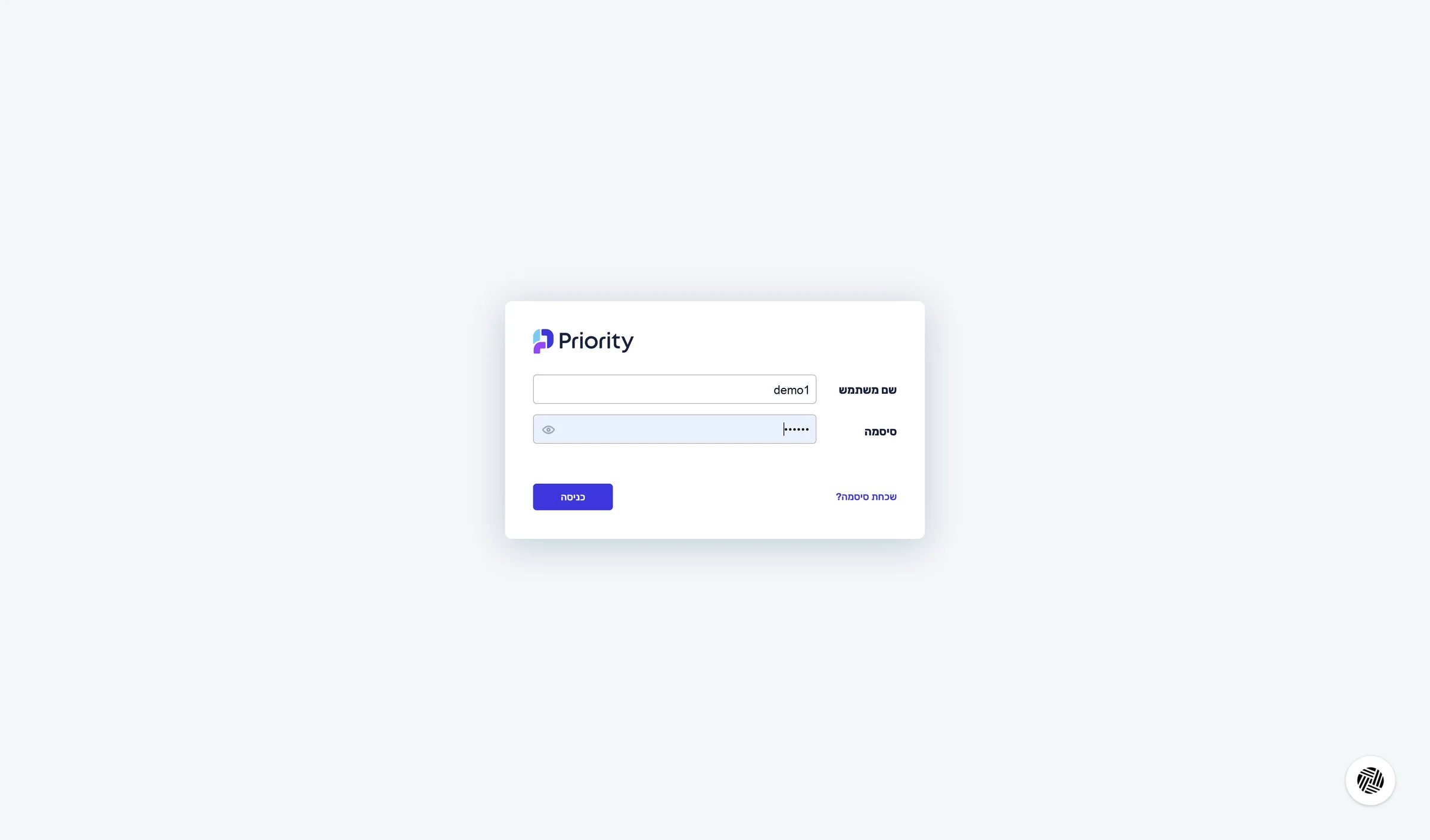
Sign in to Priority

In a new tab, sign in to Priority's web interface with a user who has access to the System Management menu.

To connect Priority you need four details from the system: the API address, the company name, the settings file name and a personal access token. You get all of them from the System Management menu.

Sign in to Priority

You are signed in to Priority and see System Management in the top menu.

2

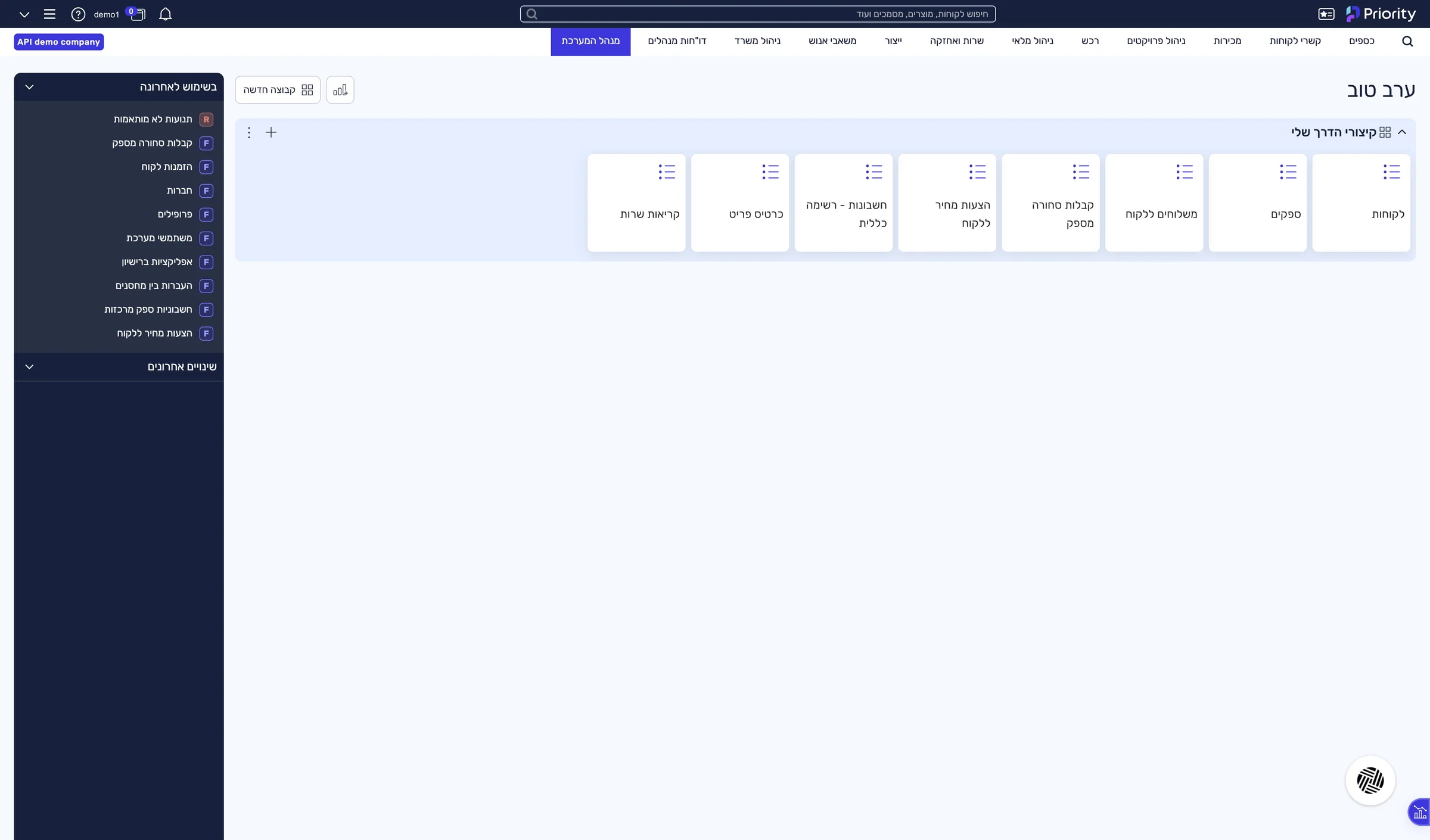
Open System Management

In Priority's top menu, click System Management.

Open System Management

The System Management menu is open.

3

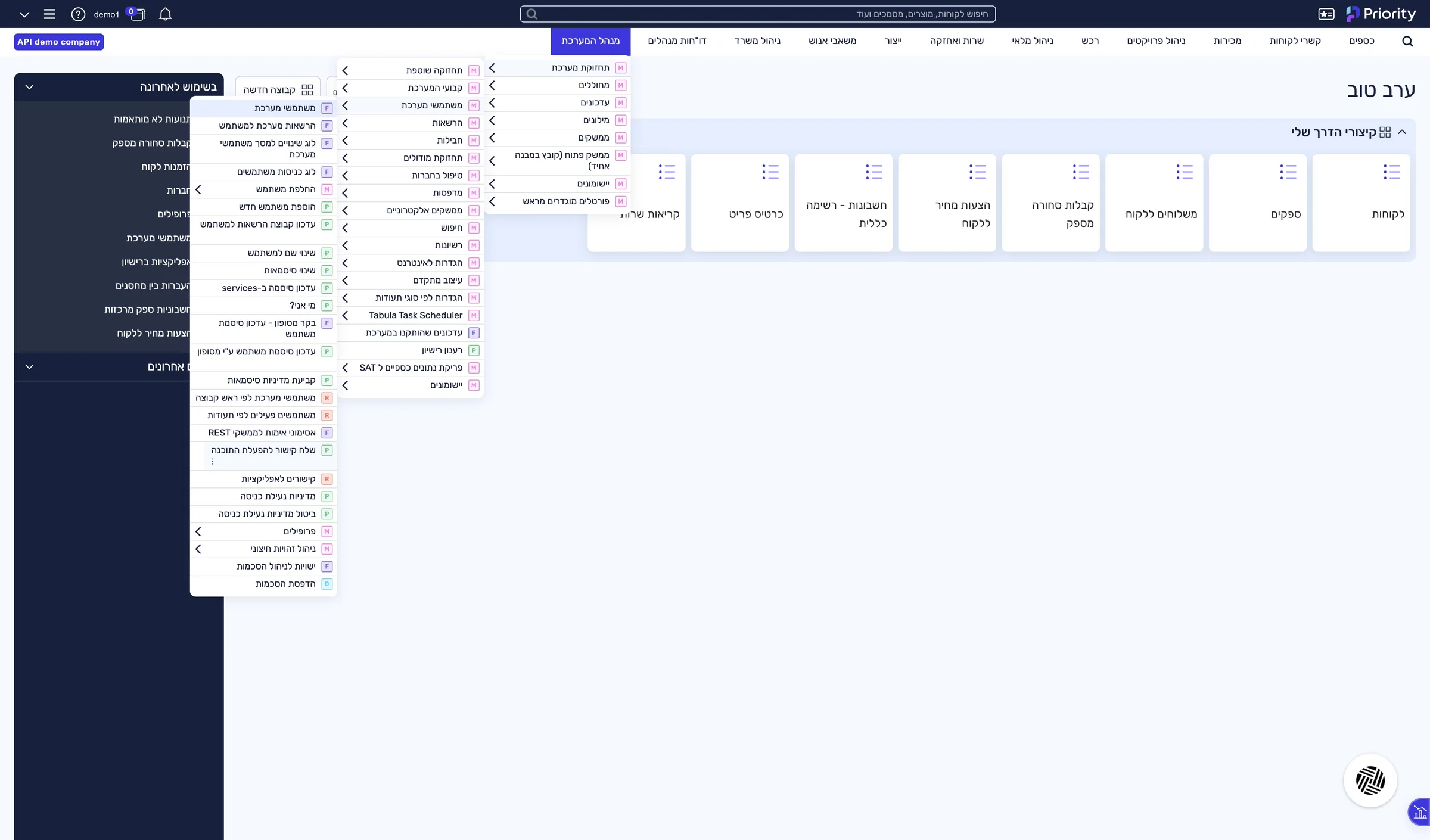
Open “Send Link to Activate Software”

System Maintenance › Users › Send Link to Activate Software

Open “Send Link to Activate Software”

A “Request Type” window opens.

4

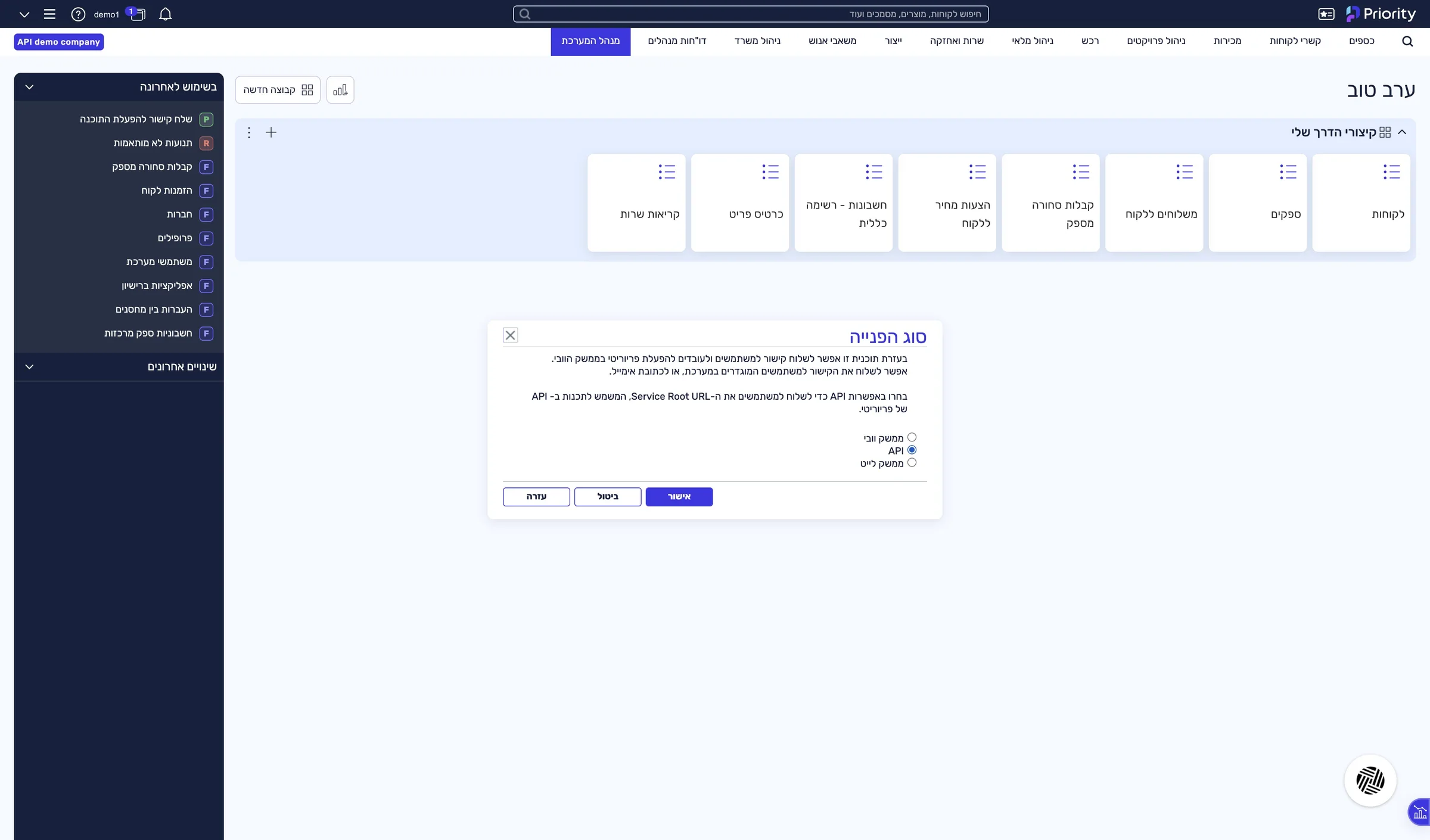
Choose API and confirm

Check API and click OK.

Choose API and confirm

A “Parameter Input” window opens.

5

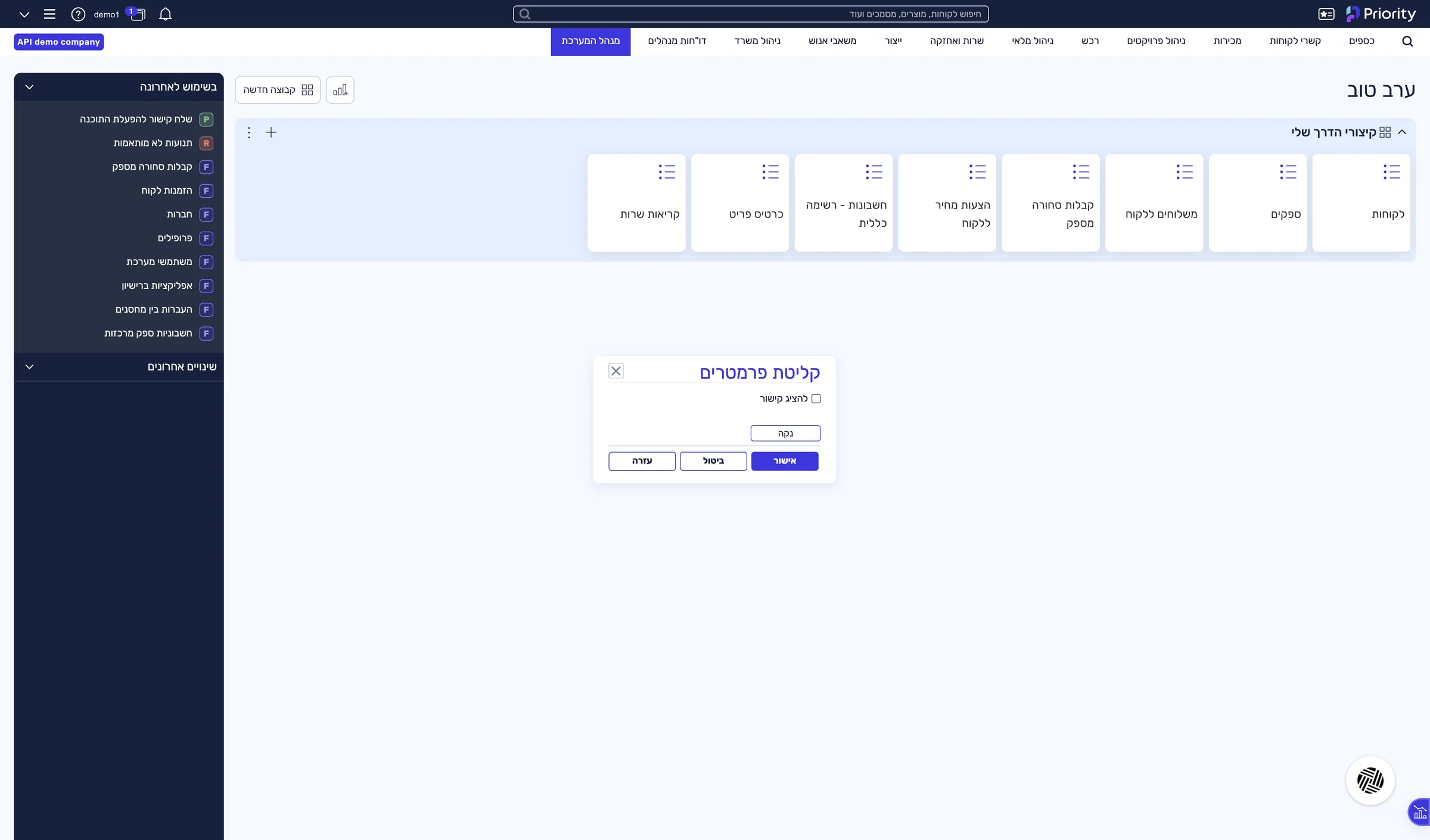
Check “Display link” and confirm

Check Display link and click OK.

Check “Display link” and confirm

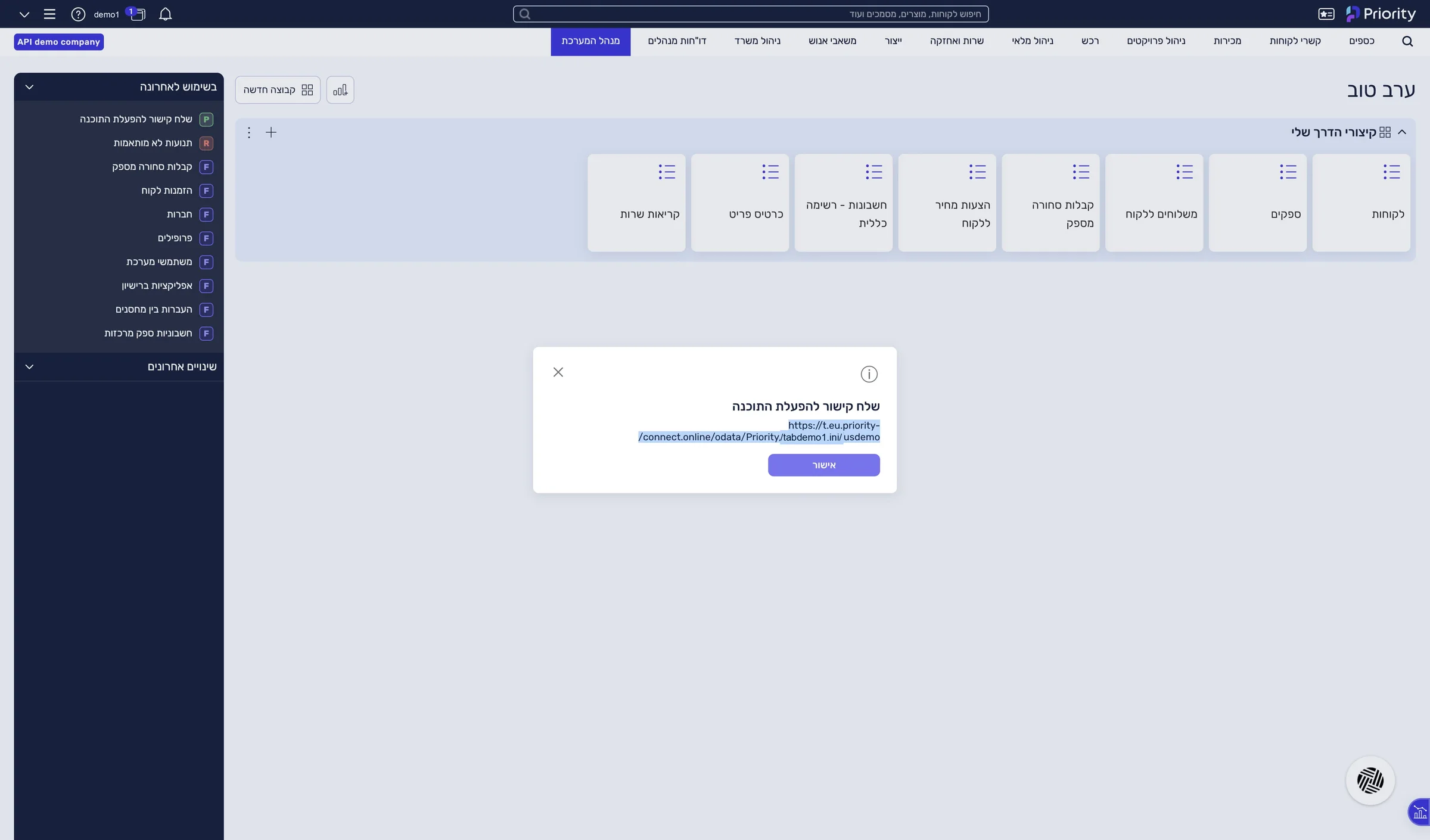
A window with the address opens.

6

Copy the address in one piece

Select the full address and copy it (Ctrl+C).

The last two parts of the address are the settings file name and the company name — you will use them in a moment. The address breaks over two lines in the window: copy it as one piece, with no space.

Copy the address in one piece

The full address, ending in the company name, is on your clipboard.

What is in the address

The address you copied splits into three values you need for the connection:

https://p.priority-connect.online/odata/Priority/tabdemo1.ini/usdemo
Server addressAlways starts with https://
Settings fileIn Priority Cloud it is never tabula.ini
Company nameThe code of your company environment, not its trading name

Paste your address into the address checker — it splits it for you →

Stuck? 5 known situations at this step

The URL points to a private network — a public https address is required.

The address broke when it was copied

In Priority's window the address spans two lines, and pasting adds an extra character to it.

  1. Delete the address from the PRIORITY server address field.
  2. Copy it again from Priority's window, or from the email Priority sends.
  3. Make sure priority-connect.online appears unbroken, and click Connect and verify.

Not found: check the company name and the tabula.ini file name.

The company name or the settings file does not match the address

These two values are the last two parts of the API address. In Priority Cloud the settings file is never tabula.ini.

  1. Open the address you copied from Priority.
  2. Enter the second-to-last part in the TABULA.INI file field.
  3. Enter the last part in the Company name in Priority field.

Priority URL must start with https://

The start of the address is missing

The address was copied without the https:// at its start.

  1. Copy the full address from Priority again, from the first character.
  2. Make sure it starts with https://, and click Connect and verify.

There is no System Management in my Priority menu

Your user does not have system manager rights

The address can only be produced from the System Management menu.

  1. Send the link to this page to your organization's Priority administrator.
  2. They can produce the address in two minutes and send it to you.

Could not reach the server: check the URL, and that the firewall allows the IPs in the prerequisites.

Priority’s server is not answering LeonAI

Either the address is wrong, or your organization's firewall is blocking LeonAI's IP addresses.

  1. Check your address in the address checker.
  2. If it is fine, go on to Allowing LeonAI’s addresses in your firewall.
Didn't find your situation? Write to us.WhatsApp (opens in a new window)care@leonai.io

This guide is step 3 of 9 in the journey Connecting Priority to Claude with LeonAI Priority MCPThe same content, in its place in the sequence.

To the journey