

System Management › System Maintenance › Licenses › Forms for Limited/API License
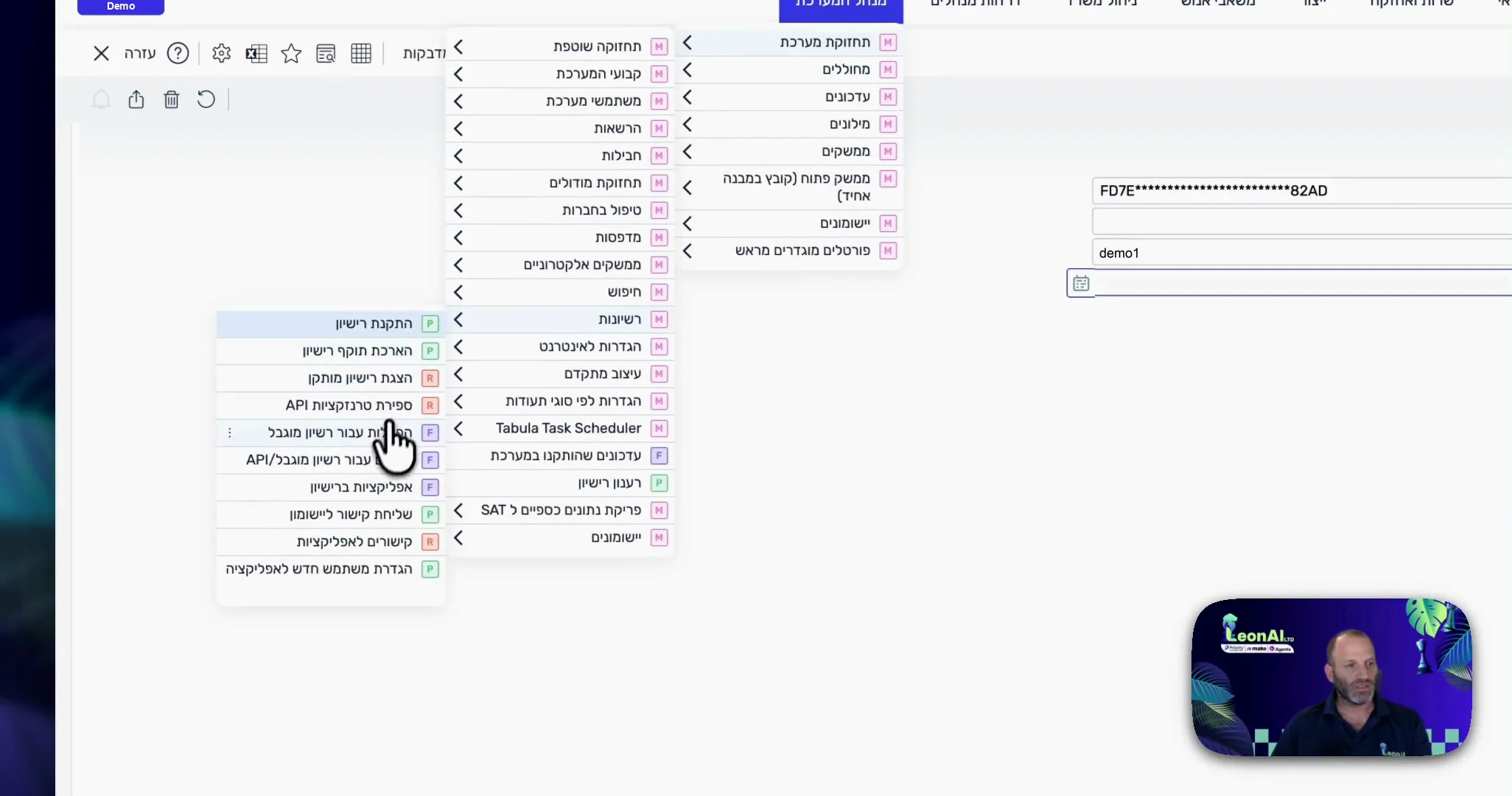
The form is open.
Guide
LeonAI sees only the forms that are open to the API. Start with the FORMLIMITED form, and open more forms as needed.
System Management › System Maintenance › Licenses › Forms for Limited/API License
The form is open.
Find the FORMLIMITED form and check its API box.
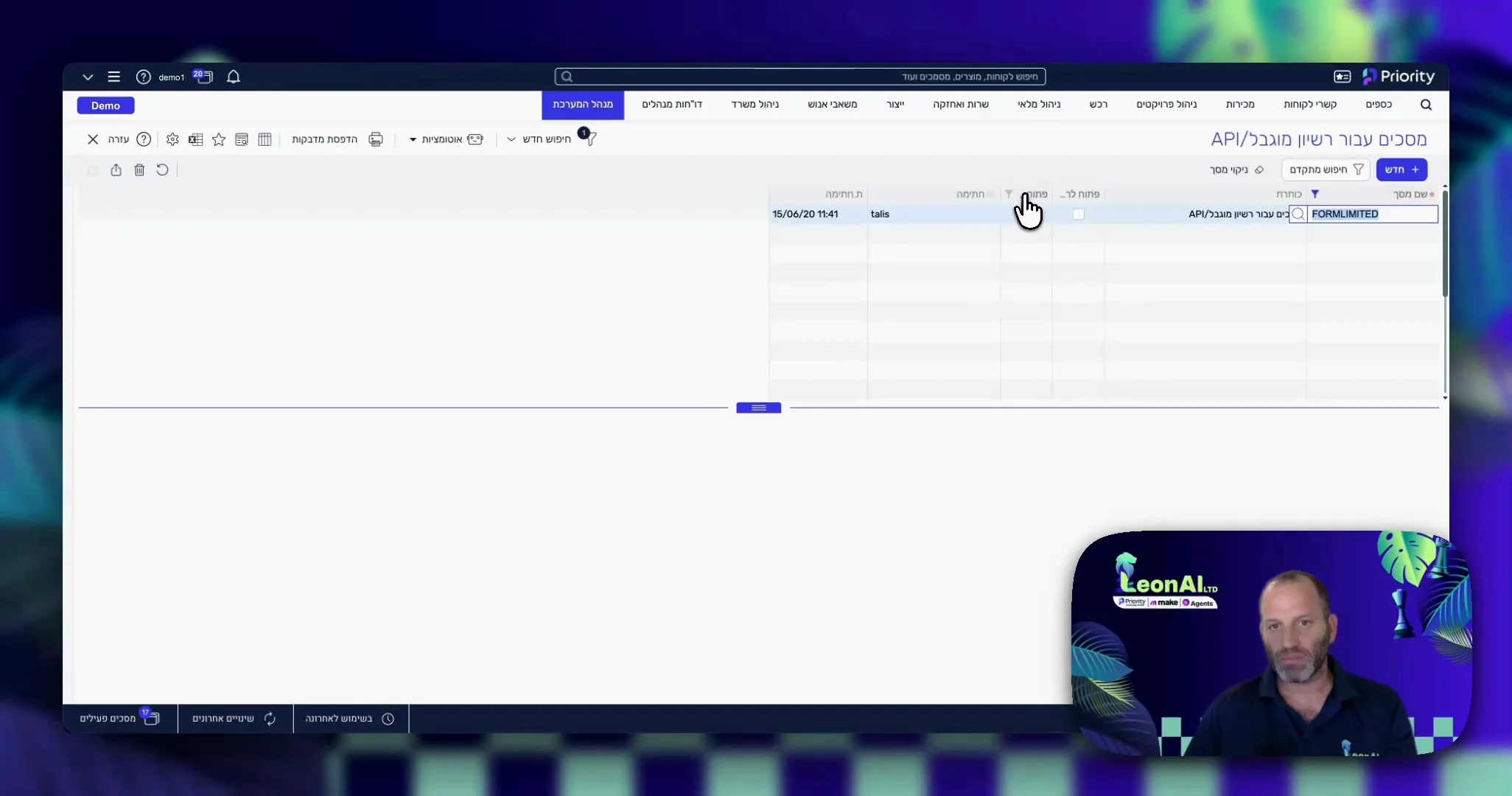
On the FORMLIMITED row, the API box is checked.
In the same form, open every form you will work with to the API, for example CUSTOMERS.
Every form you will work with is marked for the API.
This guide is step 5 of 7 in the journey Connecting Priority to the LeonAI app in MakeThe same content, in its place in the sequence.
To the journey